

一、Why Typing Speed Matters More Than You Think
Typing is no longer just a "basic computer skill"—it’s a productivity cornerstone. For students, fast typing cuts essay-writing time by 30%; for professionals, it slashes daily document processing hours; for content creators, it bridges the gap between "thoughts in mind" and "words on screen".
Yet most people stop at a "just enough" typing speed: 60 WPM for Chinese, 30 WPM for English. Few realize that typing speed has a ceiling, but it can be broken with the right methods and tools—and the gap between "average" and "efficient" typing is wider than you imagine.
Key Stats You Need to Know
- The average English typing speed globally is 40 WPM; only 1% of native speakers hit 140+ WPM.
- Human brain processes thoughts at ~800 WPM—our fingers are always the bottleneck.
- Switching from "six-finger typing" to standard fingerings alone can boost speed by 50% (my personal test: 25 WPM → 50 WPM in 2 weeks).
二、My Typing Speed Journey: Trials and Breakthroughs
1. From "Casual Typing" to "Intentional Practice"
My typing journey started in primary school—watching typists tap keyboards nimbly sparked my curiosity. In college, my Chinese typing hit 60 WPM (full pinyin), but English lagged at 20~25 WPM (blame rare daily use).
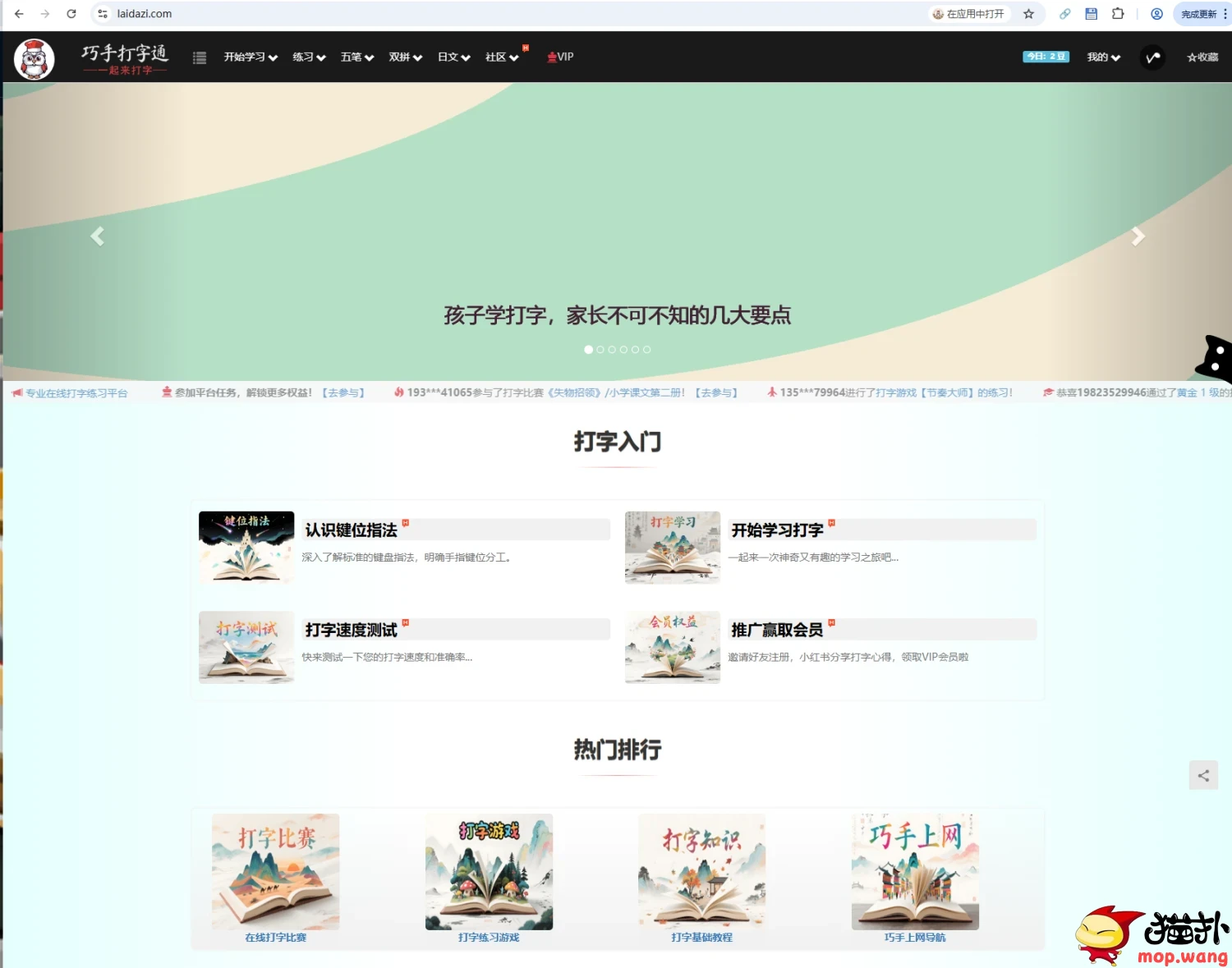
After starting work, tight schedules pushed me to optimize: I switched to a hybrid pinyin method (full spelling for first character + first letter for others) and hit 100~120 WPM in Chinese. For English, I tested 170+ typing platforms and settled on Laidazi—its UI/UX and "typing + vocabulary memorization" dual function made practice less tedious.
2. Breaking Language Barriers: Typing in Multiple Languages
Expanding to multilingual content creation taught me critical lessons:
- Latin-based languages (French/German/Spanish/Italian): Easy to master after English—same QWERTY layout, only a few unique letters to memorize.
- Russian: A tough nut to crack. 1~2 hours daily practice for a month only got me to 20 WPM, due to:
- 33 unique Cyrillic letters (no overlap with English).
- Right pinky finger strain (responsible for 5~6 frequent keys in standard Russian layout).
- Longer word lengths vs. English (average 6+ letters per word).
3. The Frustrating "Speed Ceiling"
After hitting 53~57 WPM in English (on par with average Americans), my speed stalled. Accuracy hovered at 95.5%~97% (likely due to pinyin typing habits), and no amount of practice pushed it higher. This made me realize: hard work alone isn’t enough—we need to rethink tools and layouts.(Typing Test and Touch Typing Practice Online)
三、Beyond Basic Practice: Upgrade Your Typing System
1. Keyboard Layout: Is QWERTY Really the Best?
The QWERTY layout (invented in the 19th century) was designed to slow down typists (to avoid typewriter jams)—it’s not optimized for speed. I tested the Colemak layout, a modern alternative:
- 45% less finger movement than QWERTY (less movement = faster typing).
- 62.5% fewer same-hand finger jumps (reduces fatigue).
- Easy transition from QWERTY (only 17 keys repositioned).
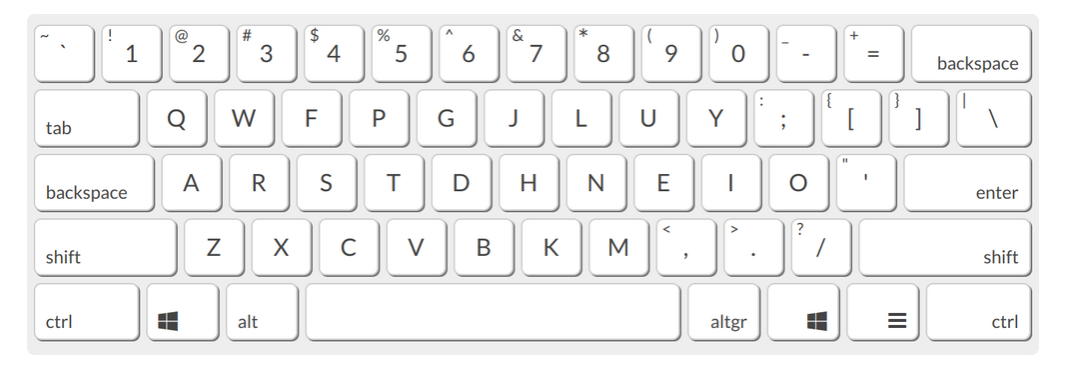
While I ultimately gave up (learning cost > short-term gains), it’s a game-changer for those willing to re-learn—perfect for full-time writers or programmers.
2. Input Method Tools: Multilingual Efficiency
Constantly switching between languages (Windows language settings) wasted 10+ minutes daily. I conceptualized a multilingual input method tool that:
- Supports dual-language setup (e.g., English + Spanish) with one-click shortcut switching.
- Displays translations in parentheses (e.g., "casa (house)") and lets you type translated text via shortcuts.
- Mimics pinyin input: type a few letters for whole words/phrases (no need to type full foreign words).
This tool turns typing practice into language learning—killing two birds with one stone (our team will share details in a separate article).
3. Hardware Upgrade: CharaChorder—Type at the Speed of Thought
The biggest breakthrough came from CharaChorder CC2.1, a game-controller-style input device with the slogan "Typing at the speed of thought". Key perks:
- Record-breaking speed: Users hit 500 WPM (yes, 500!).
- Combines keyboard + chorded input: type whole words with a single chord (e.g., "the" = one finger combo).
My experience ordering it:
- Purchased via Taobao agent (8% service fee, no global payment card).
- Ordered Jan 2026, still "Not shipped" (US → China shipping takes 2+ months).
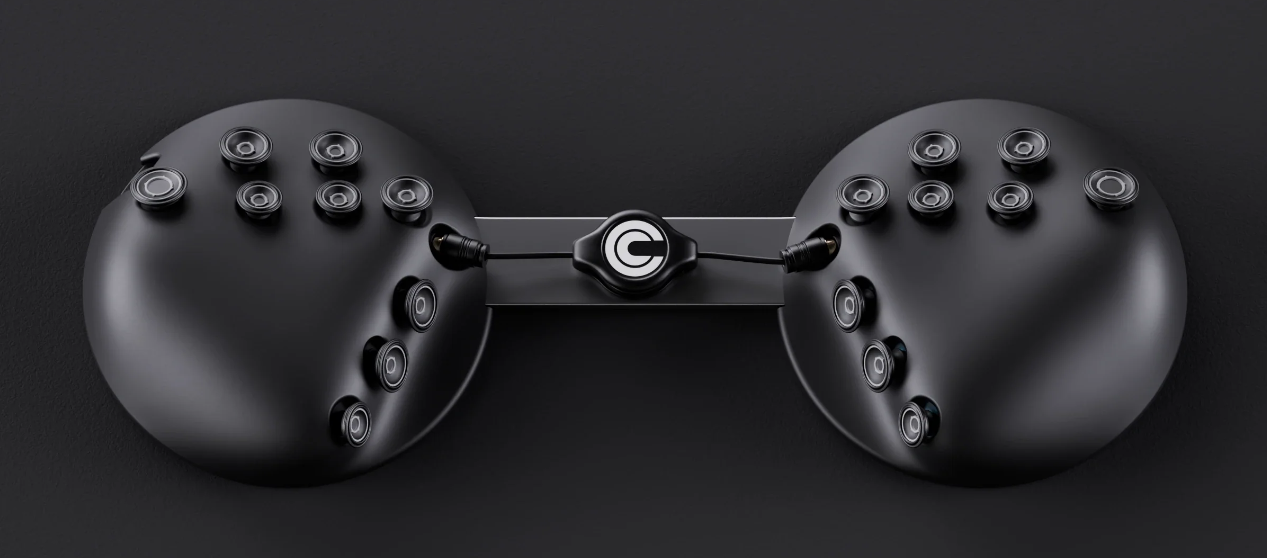
I’ll share a full review once I receive it—expect it to redefine my typing (and productivity) entirely.
四、Practical Tips to Boost Your Typing Speed (No Fancy Tools Needed)
-
Master Standard Fingerings FirstForget "hunt-and-peck" typing. Memorize home row keys (ASDF for left hand, JKL; for right) and stick to assigned fingers—this alone boosts speed by 50%.
-
Practice with Purpose (Not Mindless Repetition)Use platforms like Laidazi for:
- Vocabulary-integrated typing (learn words while practicing).
- Long-text tests (improve accuracy—aim for 98%+).
- Multilingual modules (Latin-based languages are low-hanging fruit).
-
Optimize Your Input Habits
- For Chinese: Try hybrid pinyin (full first character + first letters for rest) to match "silent reading" brain patterns.
- For multilingual typing: Avoid frequent OS language switches—use shortcut-enabled input tools.
-
Accept the "Speed Ceiling" (Then Break It)Everyone’s ceiling is different (shaped by finger dexterity, thinking habits). If basic practice stalls, upgrade tools (layout/hardware) instead of doubling down on repetition.
五、Future of Typing: Faster Than Thought?
With multilingual input tools and devices like CharaChorder, we’re edging closer to "typing as fast as we think". Imagine hitting 100+ WPM in 5 languages, or 500 WPM in your native tongue—our fingers might soon outpace our brains, and we’ll be yelling:
"Fingers! Slow down! My brain can’t keep up!"